





Quick Heal 2013 offers domain and sub-domain control for HTTPS sites

HTTPS protocols are utilized by many websites over the Internet today. This secure layer offers protection against man-in-the-middle attacks and phishing exploits. It also helps a user to detect fake websites that ask for personal information. Traditionally, domains that ask for credit/debit card details and login passwords commonly use this. But now, more and more websites have implemented HTTPS protocols to authenticate themselves to users since it adds a level of certification to them.
Quick Heal 2013 actively allows users to block such websites. Moreover, sub-domains can be controlled as well. The feature can be used by parents to prevent their kids from carrying out financial transactions. It can also be used by employers to control their employees’ browsing activities. For instance, a user can block the Google domain (https://google.com) and this will ensure that all sub-domains of Google (https://mail.google.com, https://news.google.com) are also blocked. Here’s how one can activate this feature:
STEP 1 – Open the Quick Heal Dashboard and click on the Parental Control icon.
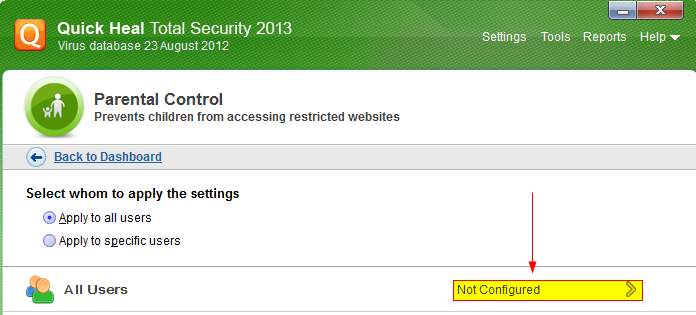
STEP 2 – Click on the ‘Not Configured’ button.
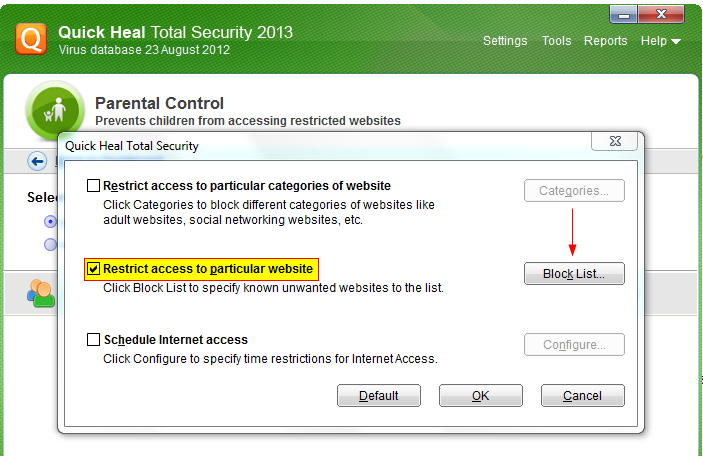
STEP 3 – Click on ‘Restrict access to particular website’ and then click on the ‘Block List’ button to customize settings.
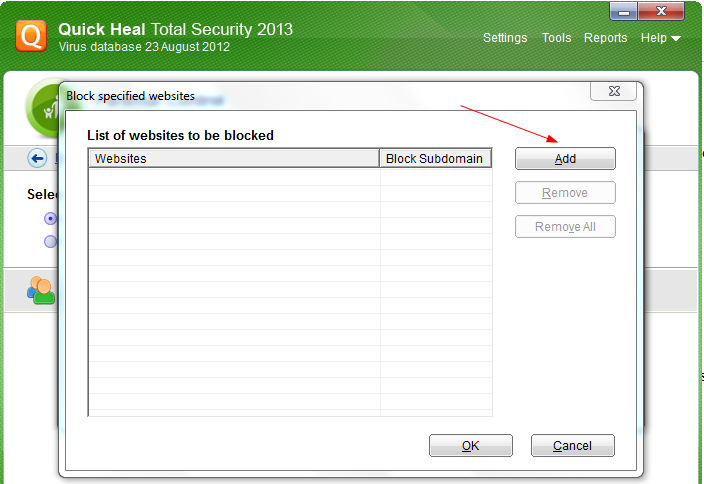
STEP 4 – Click on ‘Add’ to enter a website that you wish to block.
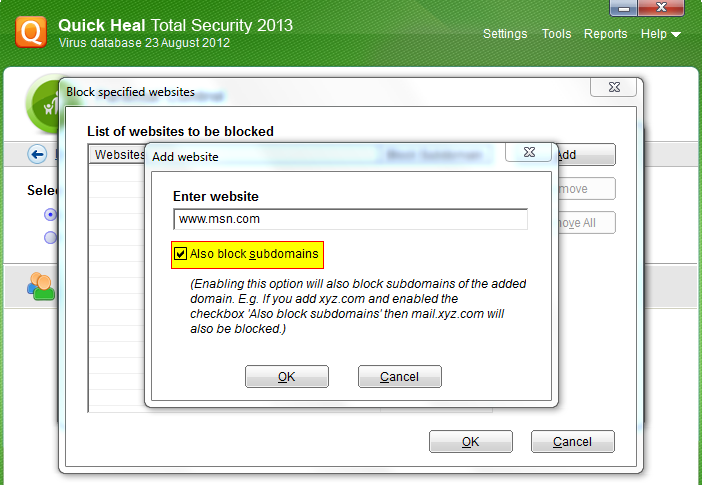
STEP 5 – Enter the website name and check the ‘Also block subdomains’ button. If this box is left unchecked, all the sub-domains of the blocked website will open. Click ‘OK’ and save changes.
Along with Browser Sandboxing this is one of the notable features of Quick Heal 2013. The ability to control sub-domains can be invaluable for parents and employers and we are proud to facilitate this feature. Watch this space for more information about other noteworthy offerings in the latest product line.