





Malware Alert! The risk of image searches on Google and Bing

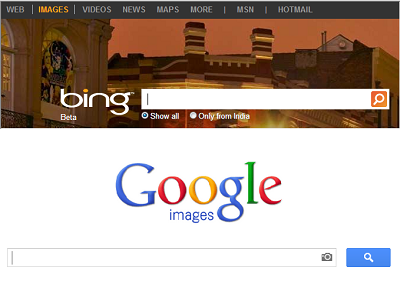
When was the last time you carried out an image search on Google Images? Did you check the website the image was hosted on before you downloaded it on your computer or smartphone? Unknown to you, image searches are one of the biggest channels of malware over the Internet.
Security conscious Internet users regularly take several precautions to avoid phishing pages and malicious websites. However, even the most security savvy individual can get outfoxed sometimes. Image searches on Google, Bing or other search engines are known to take users to infected websites that carry malicious codes and drive-by downloads. Unfortunately, many users just ignore the risks involved and end up with malware on their machines.
The threat arises when a user carries out an image search on Google or Bing (we are focusing on these search engines as they are the most commonly used ones). The results show thumbnails of images and a user clicks on the most suitable one without checking the website that hosts the image. This is extremely risky as some websites possibly contain all kinds of malware. Moreover, when a user finds a suitable image he downloads it on his machine and this injects malware into the system.
How search engines are compromised
A malicious website regularly scours the Internet to discover images that are popular. This includes images of celebrities, logos, symbols and trending memes. The website then optimizes its content to rank higher in an image search. This process is known as Black Hat SEO. So a user searches for an image, sees the infected website’s image in the search results, visits the page and downloads the image to inject malware into the system.
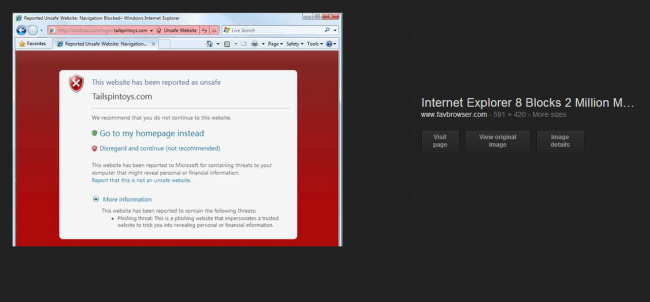
In the case of a Google search, the website stays hidden behind the image. There is an option on the side that allows the user to “Visit page” but most people do not bother visiting the website before saving the image locally.
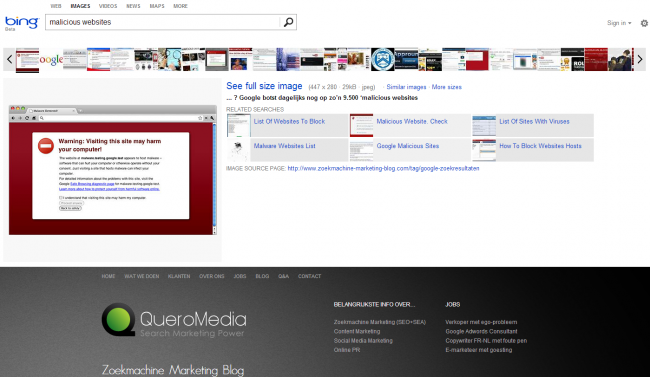
Bing is slightly better because the user can scroll down to see the full website. But again, this is something that very few people actively do.
Tips to avoid infected image searches
So what can users do to protect themselves from image search result threats? Here are some useful tips.
- Always check the website that hosts the image you are downloading. Visit the page to view it properly.
- Keep in mind that opening the image in a new tab from the search results page is the same as visiting the website.
- Remember that if a website appears on top in a search results page, it does not necessarily mean that it is a legitimate website. Unsafe websites can also use SEO techniques to manipulate search results.
- Ensure that your web browser, operating system and other programs are fully updated. Unpatched programs have the biggest security holes and are most vulnerable.
- Update your virus protection software regularly. Quick Heal products provide browsing protection that blocks unsafe websites from being displayed. If you are a Mac user, you can also install Quick Heal Total Security for Mac.
The next time you carry out an image search on Google or Bing or other search engines, ensure that you follow these tips. This will keep you safe and protected from various unseen threats that are embedded in poisoned search results. A lot of malware reaches people’s machines through images that they have actively searched for and downloaded, so it is necessary for Internet users to be aware of this threat.