





Facebook Security: Easy Tips for User Privacy

One of the biggest complaints that people have against Facebook is that their privacy can be compromised at any time. While the entire purpose of Facebook and social networks is to share your updates with friends and family, many people often lose track of where to draw the line. A lot of data breaches that occur over Facebook happen solely due to user negligence. Facebook itself offers several security and privacy features, which many users often overlook. This leads to them ultimately blaming Facebook for security lapses, so in order to combat that, the platform frequently comes out with updates and tools to help people share their information in a secure manner.
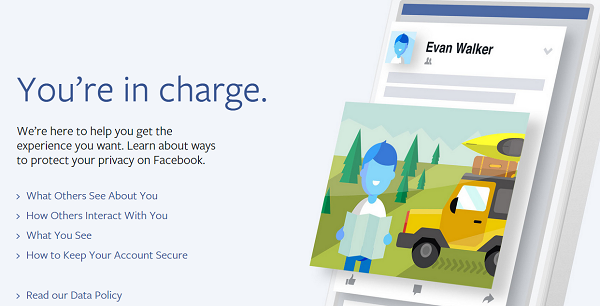
The latest in this line of offerings by Facebook is this microsite which talks about Facebook Privacy Basics. This portal is an interactive and helpful tool that promises to give users the knowledge to protect their Facebook security. In this blog post we will share some insights about this portal and how it can help our users stay safe on Facebook.
What others see about you
A lot of people know what it feels like when a friend sees something on Facebook that was not meant for them. This can be embarrassing and in some cases, can even lead to serious problems in personal and professional lives. This section of this portal allows Facebook users to take complete control over what they share on Facebook and who sees what they post.
- Posts
- Deleting posts
- Likes and comments
- Search
- Profile
- Tagging
- Friend list
- Account deactivation and deletion
How others interact with you
In this section, the portal describes how others affect the content that you post. If you have ever found yourself tagged in an embarrassing photo that you did not want posted online, then you know what this means. Moreover, you can also change the settings of how others post on your Timeline, you can unfriend troublesome people and you can control Facebook’s recognition of photos or videos that you are in.
- Timeline
- Unfriending and blocking
- Comments and likes
- Photos and videos I’m in
- Untagging
What you see
It’s not uncommon to log in to Facebook and be bombarded with ads, company pages and other sponsored posts today. All this extra information or noise can often drown out what’s important. Facebook gives you the ultimate control over what you see when you sign in and this can seriously distort all those dollars that companies spend to get to your eyeballs.
- News feed
- Ads
How to keep your account secure
One of the biggest fears of the modern age is the fear of getting your Facebook account hacked. After all, your account is a detailed insight into your likes, comments, people you search for, places you want to visit and several other personal and public data points. So what do you do if your account is compromised? This section details that information and more.
- Passwords
- Hacked accounts
- Login alerts
- Login approvals
- Trusted contacts
- Where you’re logged in
- Logging out
- Spam
- Phishing
- How you’re protected
- Information requests
In addition to this, you can also read the Data Policy of Facebook in detail. Over here, you will read about what kinds of information is collected by Facebook and what they do with it. The language here is simple but lengthy so you can always refer to this page from time to time to get an idea about what’s happening to all those clicks that you make.
Additionally, we also recommend that you secure your online presence with tried and trusted antivirus tools. With features like web security, phishing protection and more, these tools also go a long way towards protecting your online identity and privacy.